Backend modules
What the three modules show, the dashboard widgets, and the tables the data lives in.
The three modules
AiM adds an AiM module under Admin Tools with three sub-modules. On TYPO3 12.4 the three appear directly under Admin Tools instead, because its module menu is only two levels deep:
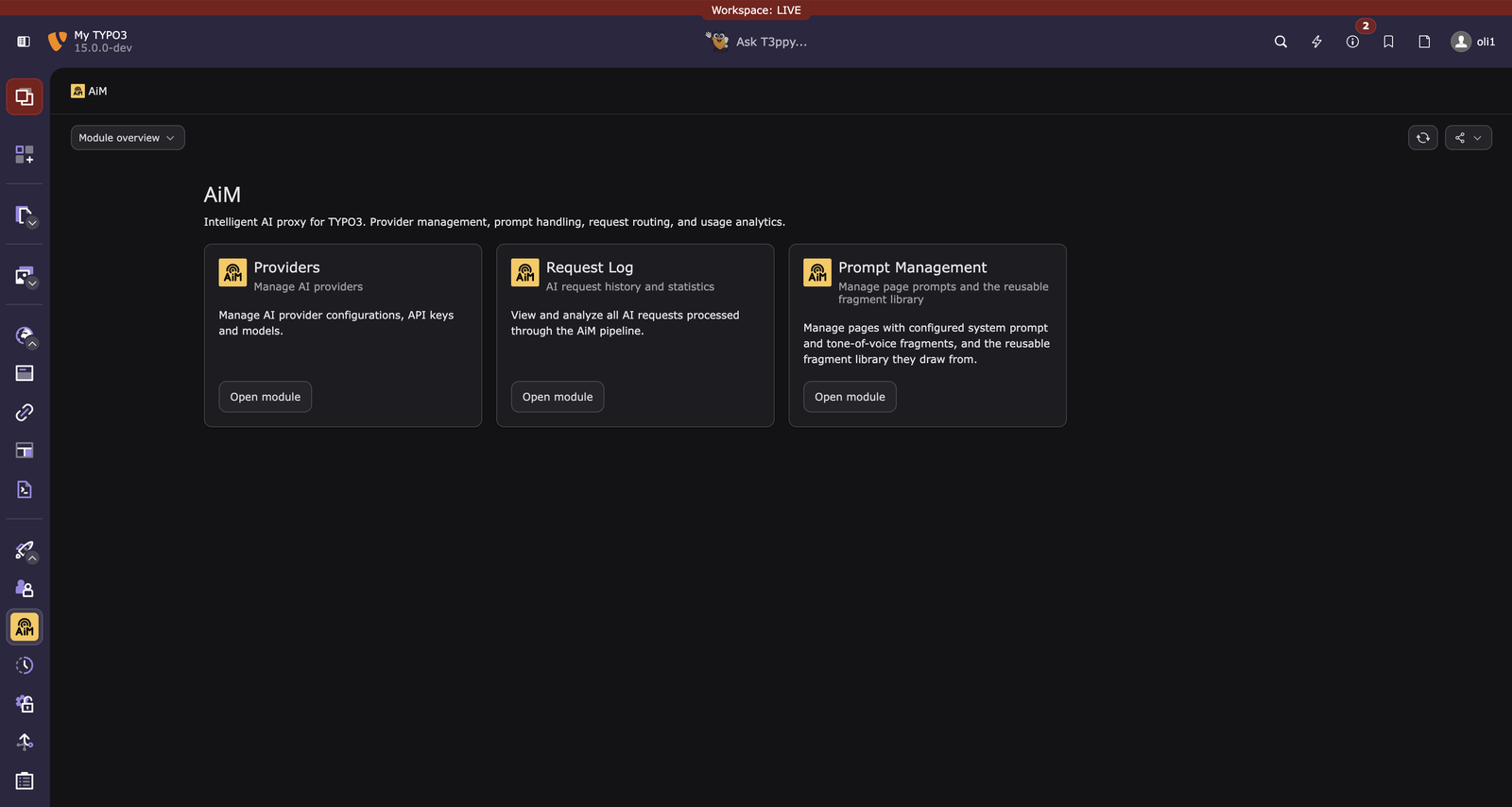
Providers
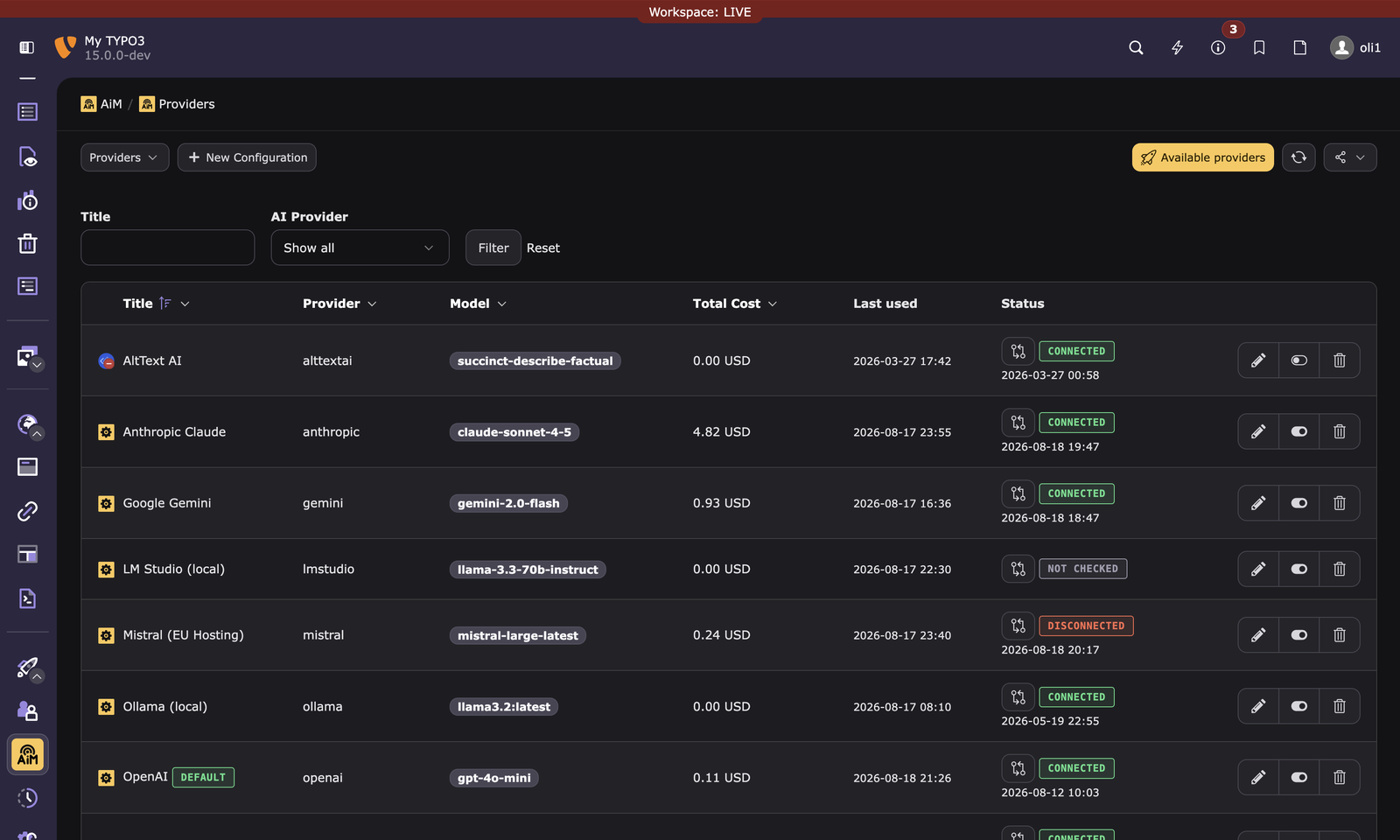
Manage AI provider configurations:
- API keys, models, token costs
- Group restrictions (be_groups), privacy levels, rerouting protection, auto model switch
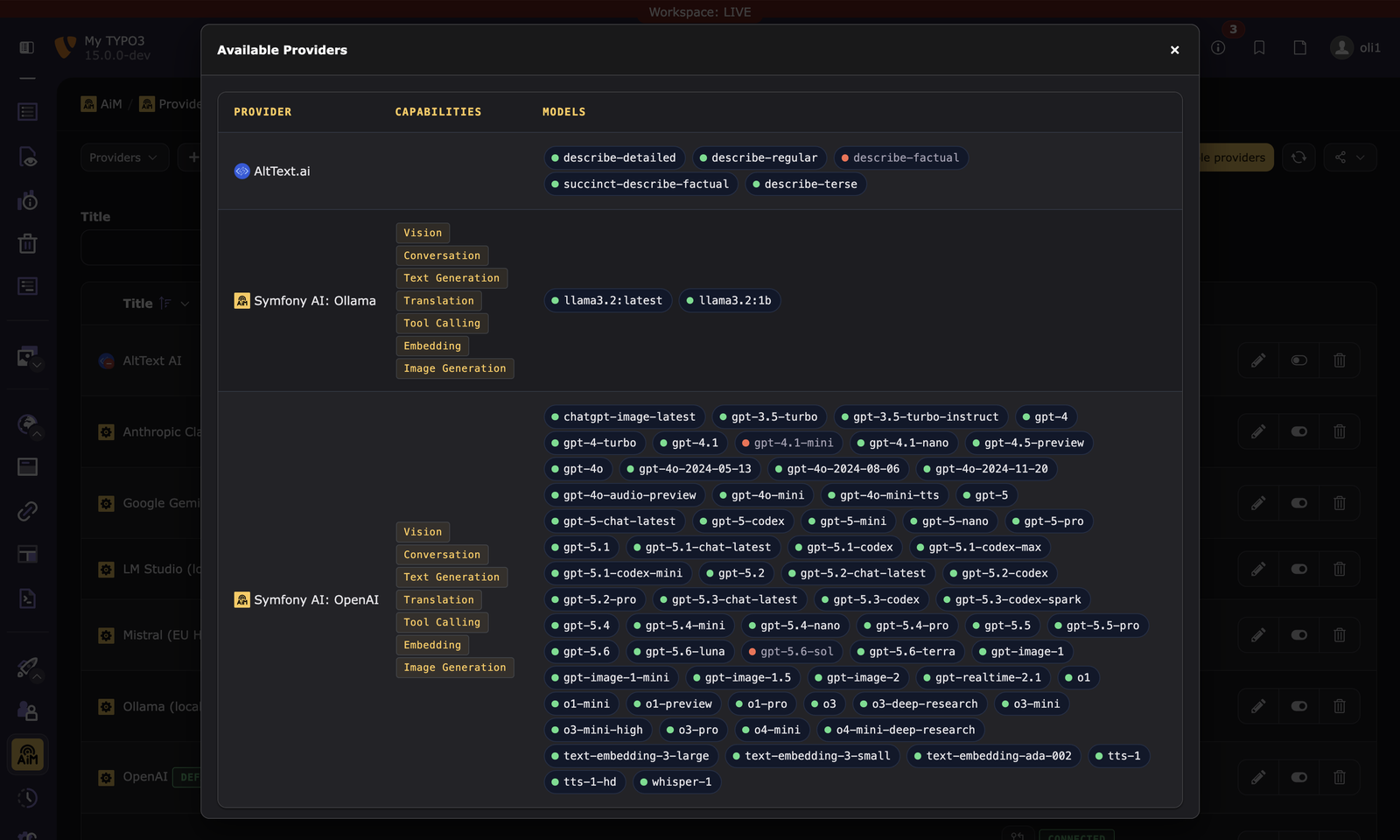
- Available Providers: modal with clickable model badges to enable/disable models
- Provider verification: test connectivity with a minimal probe request, results persisted
- Last used: timestamp per configuration with link to request log
Click Available Providers to see every auto-discovered provider's models at a glance, and click any model badge to enable or disable it:
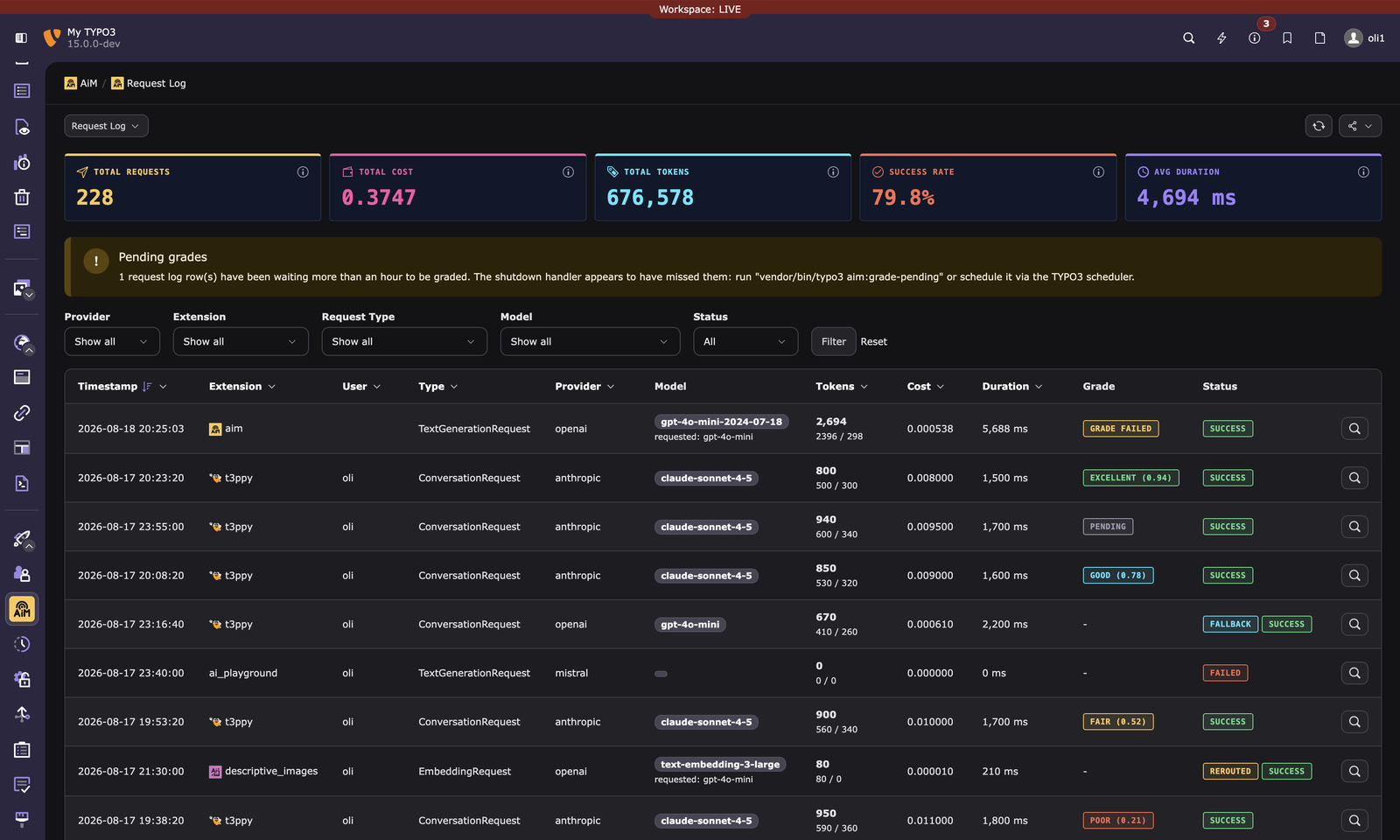
Request Log
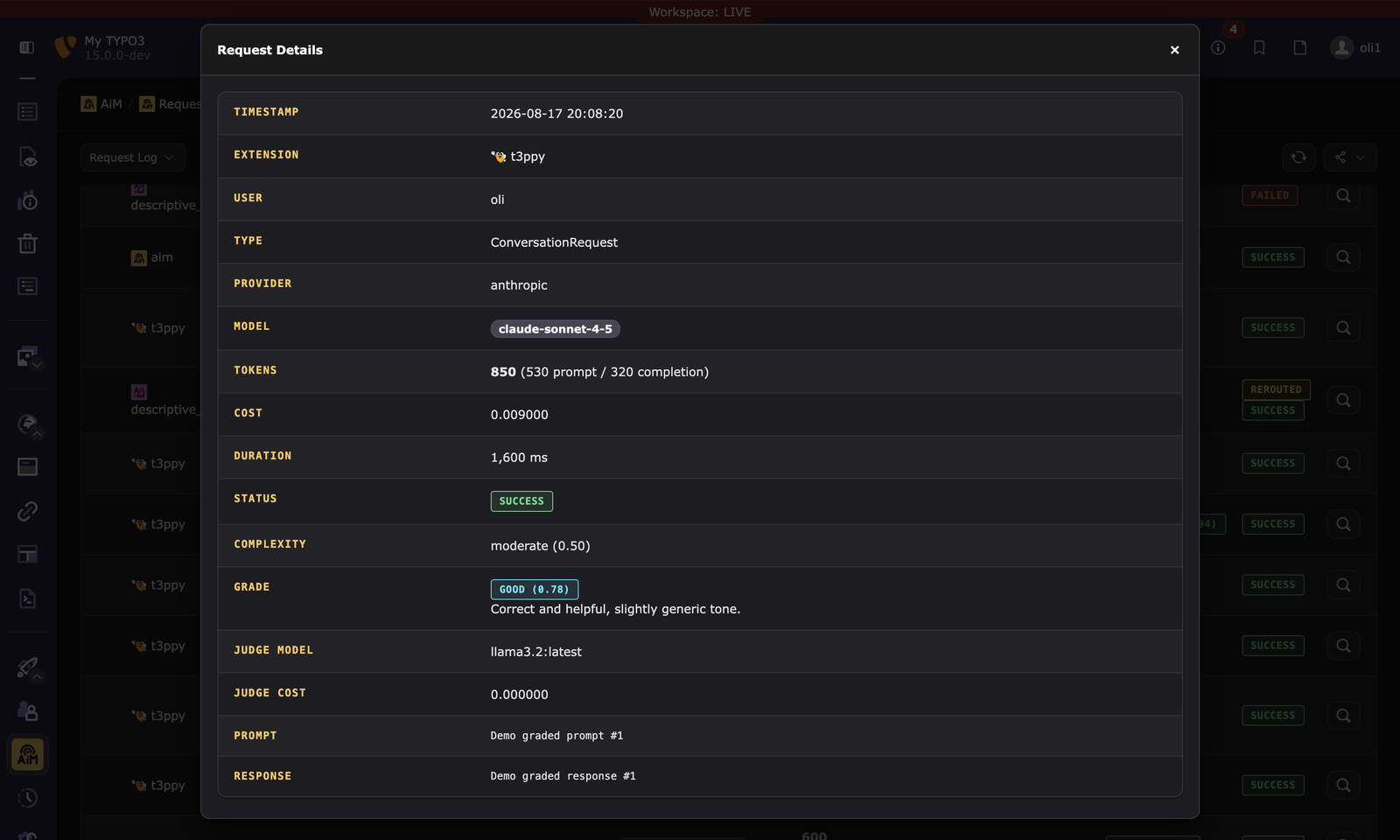
Monitor all AI requests: - Statistics dashboard: total requests, total cost, total tokens, success rate, average duration - Filtered log view: filter by provider, extension, request type, success/failure - User tracking: shows the backend username for each request (empty for CLI/automation) - Full content: prompt, system prompt, and response content per request (respects privacy levels) - Complexity classification: score, label, and reason for each request - Quality grades: LLM-as-a-judge score, label, and reason per request when grading is enabled - Token details: prompt, completion, cached, and reasoning token breakdowns - Rerouting info: fallback and capability rerouting details
Every row opens a full detail view, including the grading rationale and reroute reason when applicable:
Prompt Management
Manage and inspect page-level tone-of-voice fragments and the reusable fragment library they draw from. Unlike Providers and Request Log, this module is grantable per backend user/group (access => 'user'). It only inspects a composition, never dispatches or changes anything, so the editors who actually author fragments day-to-day can preview their own work without an admin doing it on their behalf.
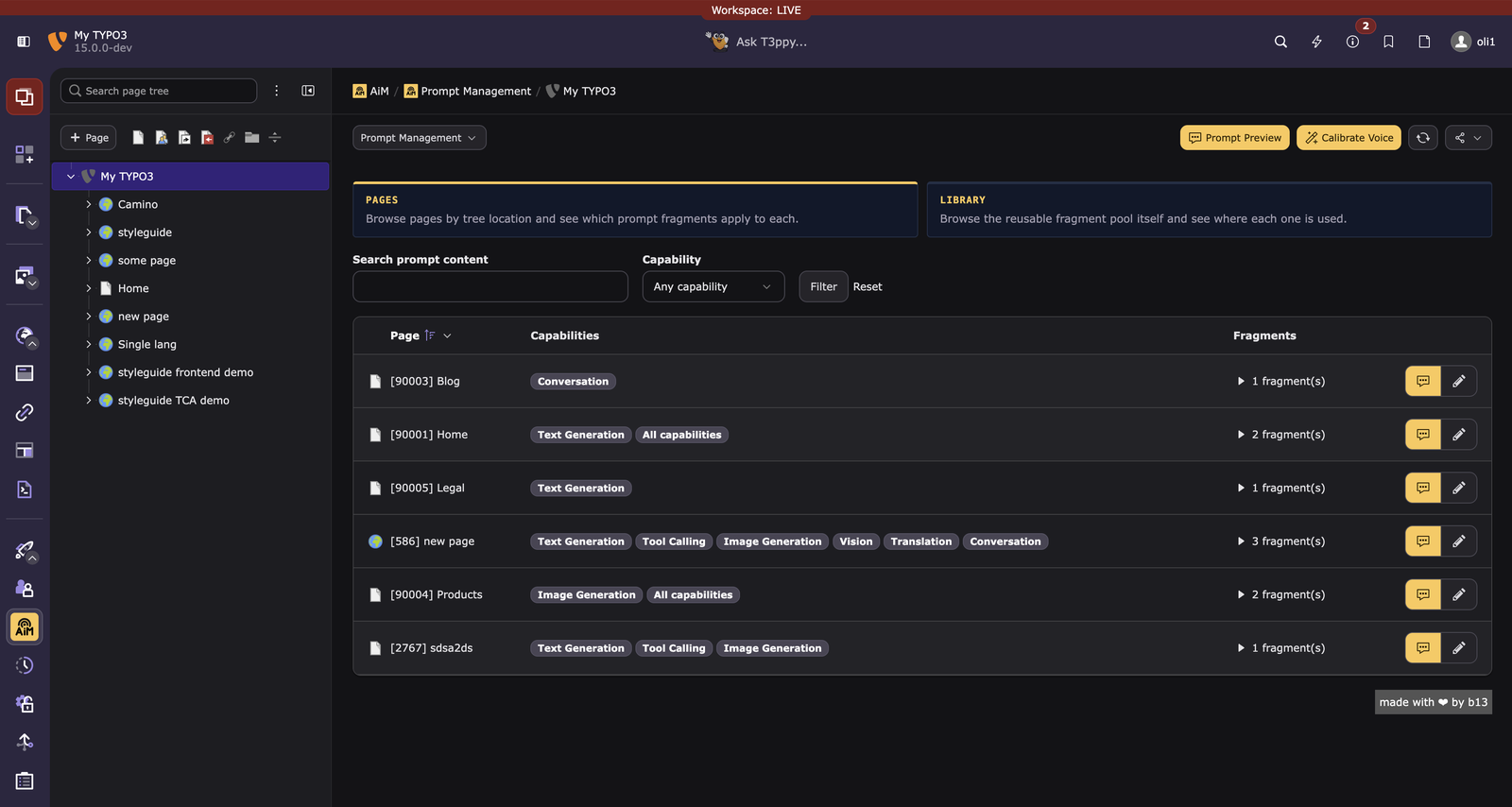
Two sub-actions, switched via a pair of clickable boxes at the top of the module, both using the page tree:
Pages
Only pages with at least one prompt fragment, and only those the current user is actually allowed to see (own webmounts + page permissions; unrestricted for admins). A non-admin can never probe a page they don't have access to, by construction. Select a page in the page tree to narrow the list to it and its subtree; that filter is an editor's view of the tree, so hidden pages and storage folders are included. Assignments still awaiting review are listed and counted here too, since this is where that review happens. A "Create prompt" doc-header button appears whenever a page with PAGE_EDIT rights is selected, opening that page's edit form (AI tab only) even if it has zero fragments yet.
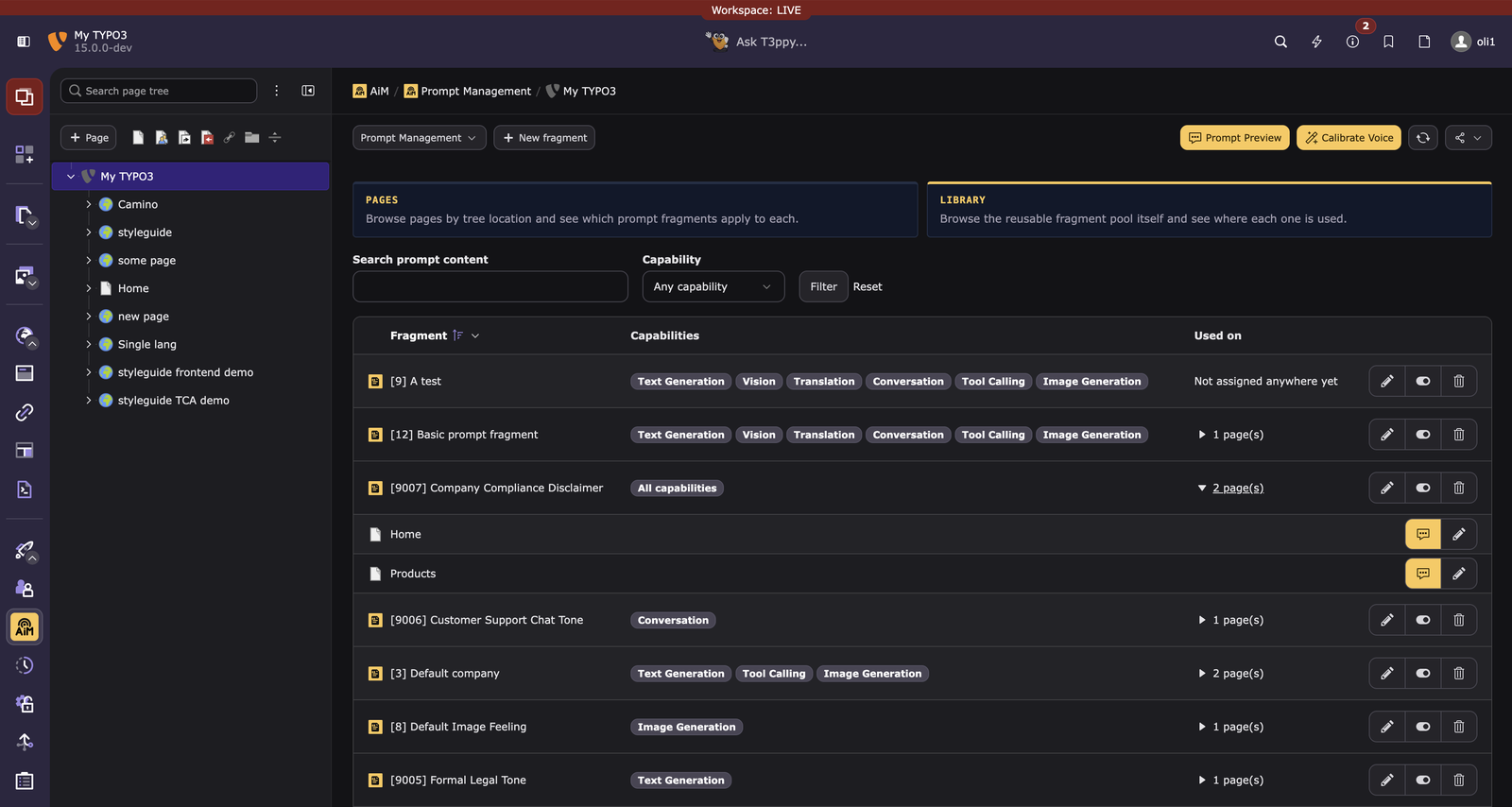
Library
The reusable fragment pool itself, independent of any one page, with one row per fragment and a "used on N page(s)" disclosure that expands inline into the actual pages, each with its own preview-composition and edit-fragments-on-that-page actions. Also honors the shared page tree: selecting a page scopes the list to fragments actually assigned somewhere in that subtree. Global (pid = 0) fragments are exempt and always listed, matching the same rule the fragment picker's own suggest wizard uses elsewhere, while flagged with a "Global" badge. With the "New fragment" doc-header button, a fresh fragment can be created, targeting whichever page is currently selected in the tree. If no page is selected, pid = 0 (a global entry), is created.
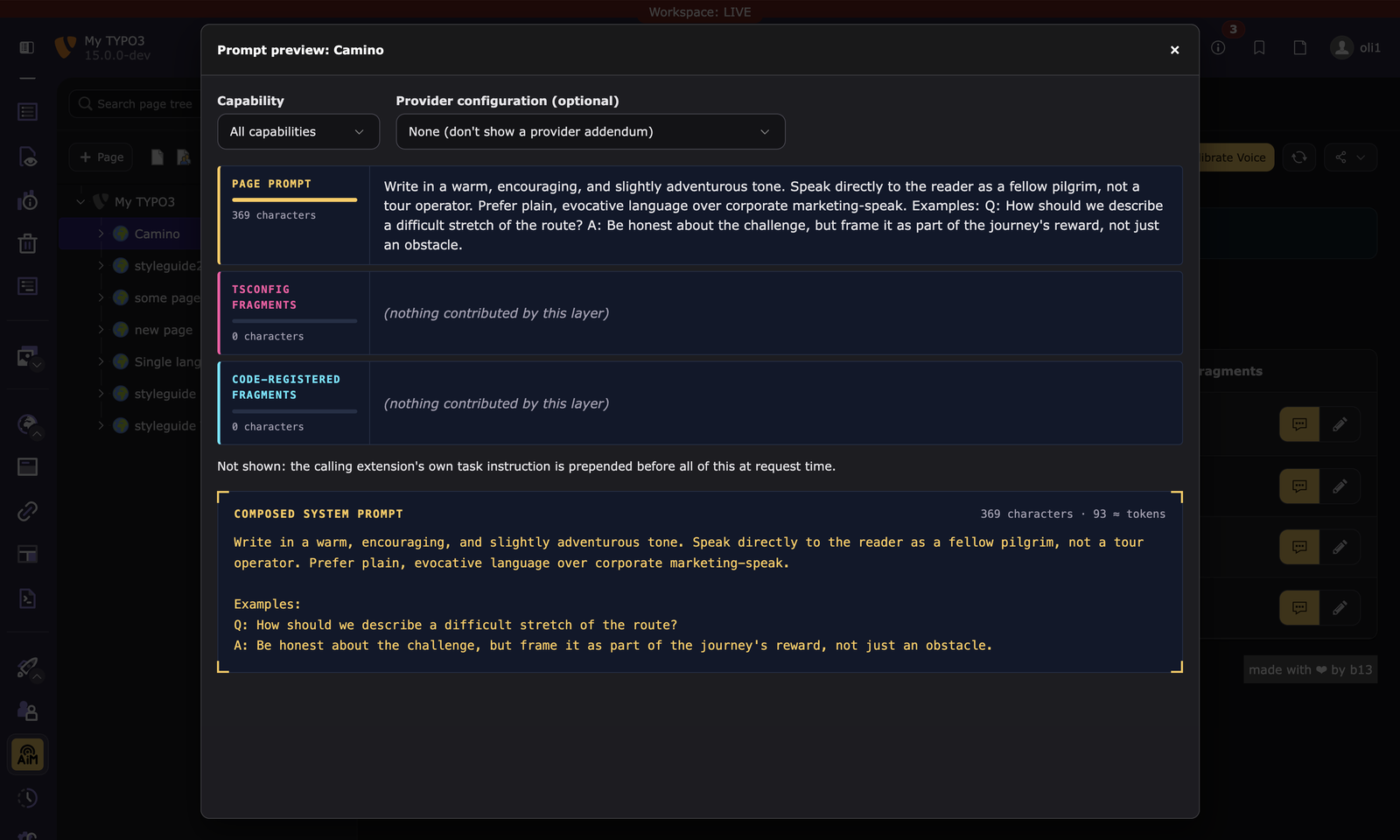
Both sub-actions share the filter, including the free-text search, a per-row "Preview" that expands inline to show the exact composition breakdown (a layer that contributes nothing is shown as empty, one that could not be read at all is marked as such, since in a preview those two look alike and mean opposite things), an "Edit fragments"/"Edit fragment" action and the "Calibrate Voice" doc-header button (see Voice Calibration below).
Click "Preview" on any row to see the exact layered composition without spending an AI call:
Granting this module to a non-admin group: module access alone isn't the whole story, since this custom listing bypasses the standard record list and builds its own queries for both sub-actions. The group also needs
tables_selectontx_aim_prompt_fragmentto see any fragment content at all (otherwise the module renders an empty "no access" state), andtables_modifyon the same table for the inline edit links to appear (a user without it still sees everything, just without a way to jump straight to editing a fragment from either sub-action).
A fragment assigned to multiple pages is still one Library row; editing it from either sub-action or a page's own AI tab changes the same underlying record everywhere it's used.
Dashboard Widgets
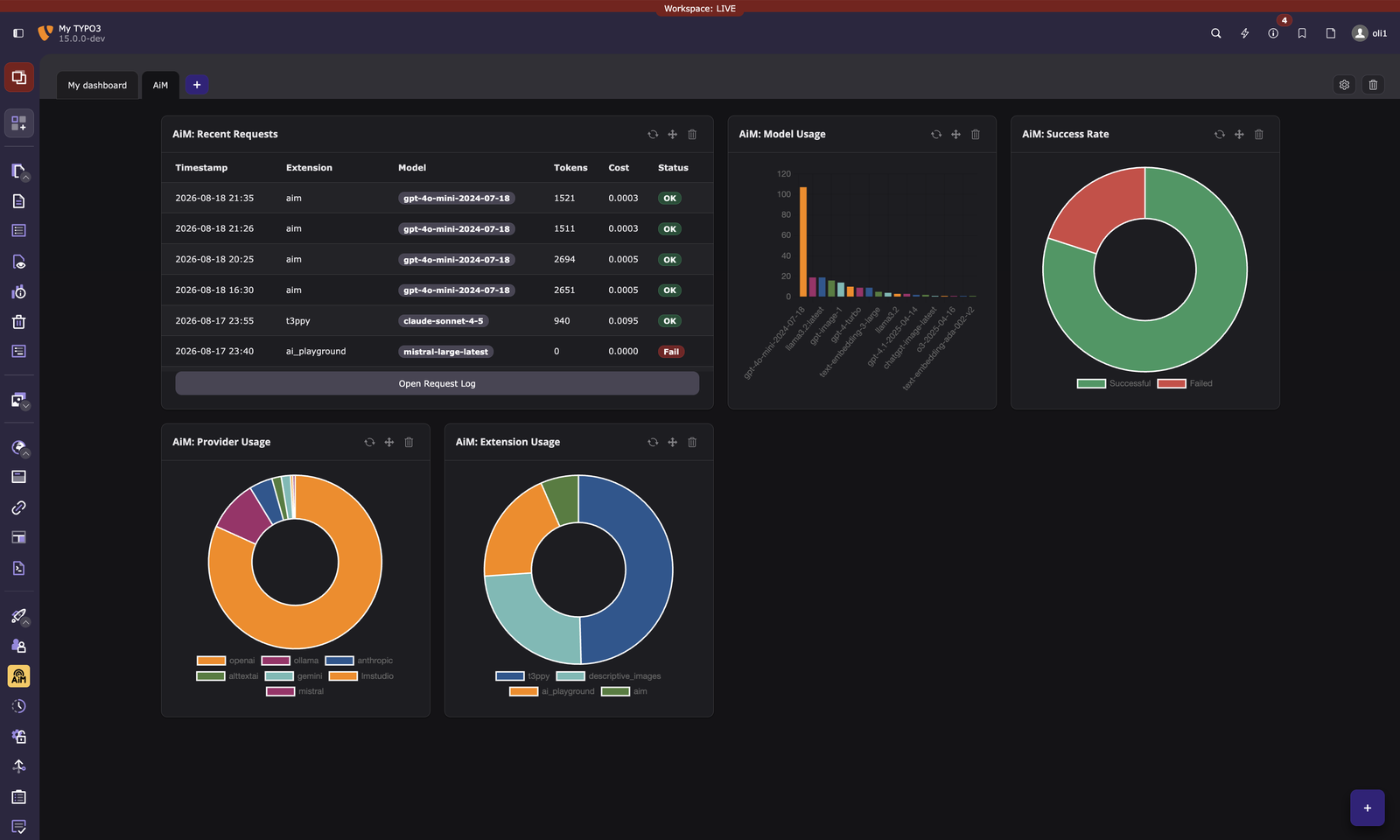
When typo3/cms-dashboard is installed, AiM registers five widgets and a pre-configured dashboard preset ("AiM: AI Analytics"):
| Widget | Type | Shows |
|---|---|---|
| Recent Requests | Table | Last 10 requests with extension, model, tokens, cost, status |
| Provider Usage | Doughnut chart | Request distribution across providers |
| Model Usage | Bar chart | Request count per model |
| Success Rate | Doughnut chart | Successful vs failed requests |
| Extension Usage | Doughnut chart | Which extensions generate the most requests |
All widgets are refreshable and grouped under "AiM" in the widget picker. The recent requests widget includes a button to open the full request log module.
Database Tables
| Table | Purpose |
|---|---|
tx_aim_configuration |
Provider configurations (TCA-managed). API keys, models, cost tracking, governance settings, per-provider system prompt addendum. |
tx_aim_request_log |
Per-request log (no TCA). Tokens, cost, duration, prompt/response content, complexity classification, rerouting details, LLM grading results. |
tx_aim_usage_budget |
Per-user budget tracking. Rolling period counters for tokens, cost, and request count. |
tx_aim_prompt_fragment |
Reusable tone-of-voice fragment library (TCA-managed, rootLevel => -1). Title, prompt text, few-shot examples, multi-value scope. |
tx_aim_page_prompt_fragment |
Per-page fragment assignments (TCA-managed, IRRE child of pages). Which library fragment applies to which page, per-assignment inherit_to_subpages flag, a hidden flag (an inactive assignment is never composed into a prompt), and an auto_generated marker for assignments written by aim:calibrateVoice. |
Three cache tables are created alongside them, all in TYPO3's system cache group, so flushing the system caches empties them: cache_aim_prompt_fragments (resolved tone of voice per page), cache_aim_models (model lists fetched from a host, 15 minutes for a host that answered and 60 seconds for one that did not) and cache_aim_ratelimit (per-user request counters for the current clock minute). Each of them is a cache in the strict sense: if the backend is unavailable, that costs the caching and never the request.
See ext_tables.sql for the full schema.
Part of the AiM documentation, generated from Documentation/BackendModules.md. Found something wrong? Open an issue.